©1998-2018, Creative Bearings, Inc.

970 870 8008
Creativity Comes Standard
Online Proofing
Terms
Our Services


Quote Requests

Website by Creative Bearings, Inc.
A Colorado Company
970-870-8008
Howdy DTG Printers!
Thanks for visiting. Here you can download a DTG Grid Pattern for the Epson F2000 SureColor Printer and the Epson F2100 SureColor Printers.
Open the file(s) in Adobe Illustrator for your designs, or import the PNG right into GarmentCreator. Then double click on it and select "Fit to Platen". It will print a perfect grid on your shirt. You can use this guide to get an idea how to load your shirts, and to make precision lines on your frame to hit the mark every time (think pocket prints).
Let me know what you think of these time saving files on Facebook
Download .PDF
of Epson DTG
printing Grid
Download .AI
of Epson DTG
printing Grid

Download .PNG
of Epson DTG
printing Grid
Bonus: Download a simple orderform for Shirt printing shops
Right-Click to select "Download"
1. Download the file you need. PNGs Import directly into Garment Creator
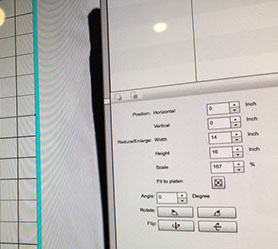
2. Double click on the grid "Artwork" and select Fit to platen.
3. Print a copy on a blank shirt and leave it on your platen.
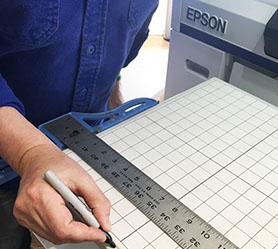
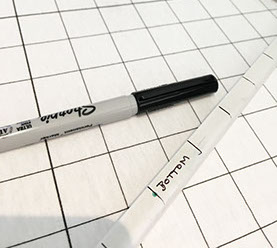
4. Align the frame to the grid and add your lines. We also added "Top" and "Bottom" to our frame, because there is a minor shift if you get it backwards.
We're here to help with your strangest DTG problems. Feel free to contact us. What we really do is great artwork, and are super excited to work with you on your next screen printing or Direct to Garment Printing project, all over the country.
Click on Portfolios above to see our work.